Access the Scene Metrics window in the LSV to view statistics relevant to a loaded scene in real time.
View Scene Statistics in Real Time
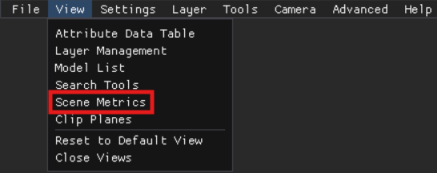
Left click the Scene Metrics option in the View menu in the upper left corner.
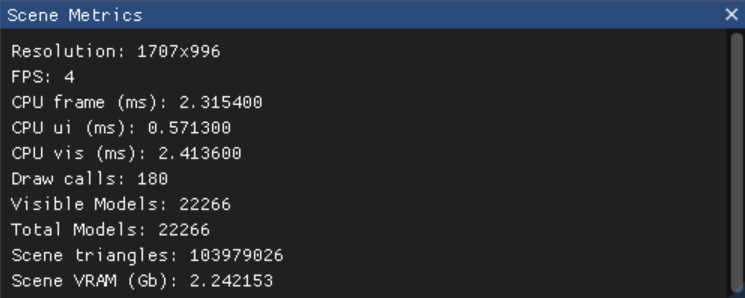
The pop-up Scene Metrics window displays real time Scene statistics, including:
Resolution
FPS (Frames per Second)
CPU Frame (ms)
CPU ui (ms)
CPU vis (ms)
Draw Calls
Visible Models
Total Models
Scene Triangles
Scene VRAM (Gb)
Large Scene Viewer - A powerful, stand-alone, lightweight 3D visualization tool that allows users to visualize and analyze large scale 3D models in a sandbox environment (outside the performance and resource constraints of a web browser).
The specific systems and components loaded into a particular 3D Model and the way these components are oriented on the X, Y, and Z axes from the user's vantage point.
A command the GPU sends to the CPU to render a specific object or part of a scene. A new draw call generates each time an object with new material is rendered. A high number of draw calls can significantly impact CPU performance, since it needs to prepare data for each one.
The fundamental building blocks used to represent 3D objects and surfaces in a graphic.
Gigabit - A unit of data transfer rate equal to one billion bits per second. Represents a very high-speed internet connection, allowing for faster downloads and uploads compared to slower connections.