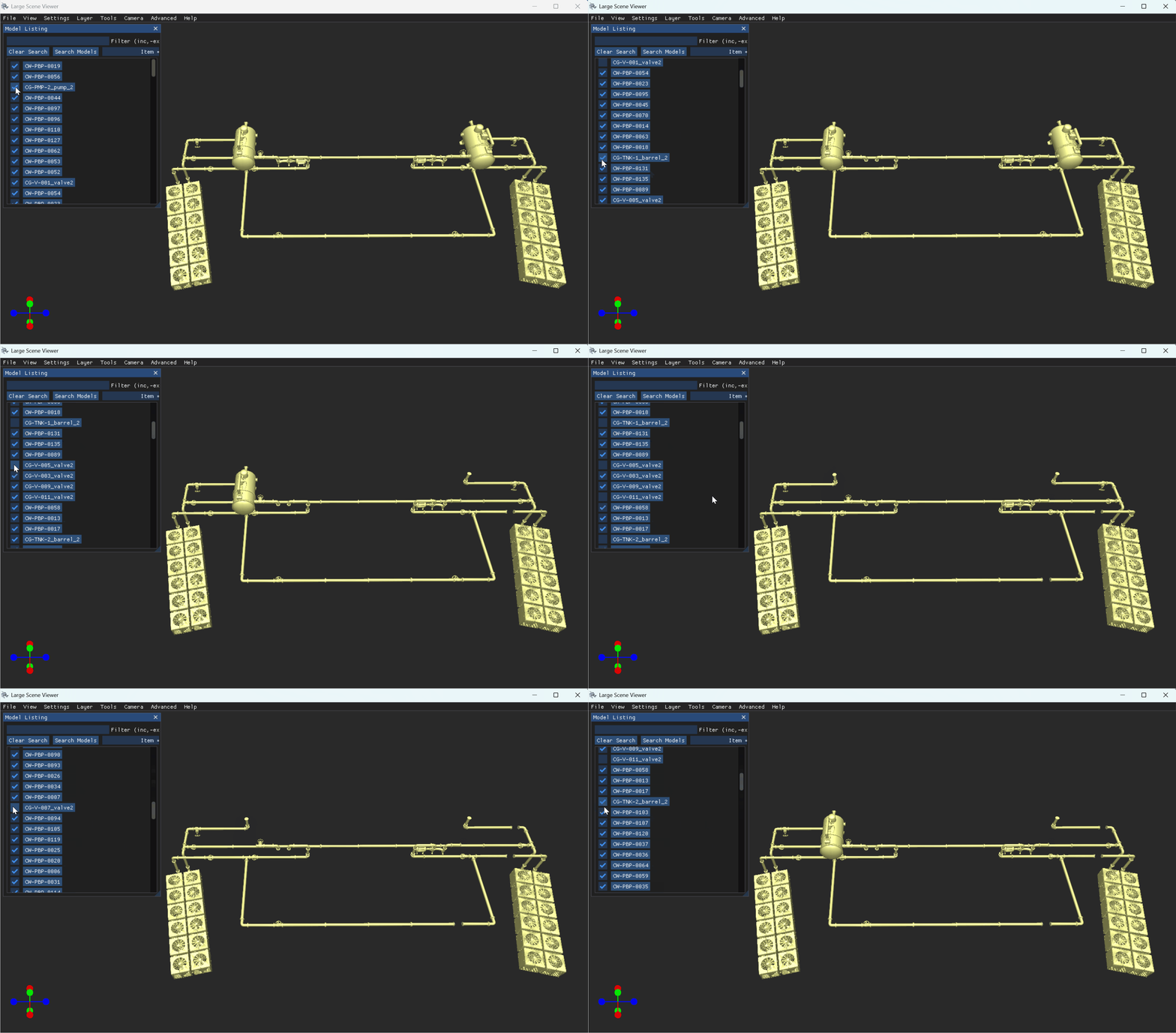
View a list of loaded model part numbers on the Model Listing window in the LSV. Select a specific model part number to snap the camera to that model, or deselect (uncheck) a model part number to hide that model in the loaded scene.
View the Part Numbers for all Models in a Selected Layer
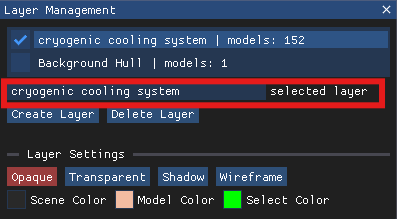
On the Layer Management window, left click on the name of a loaded layer to select it.
Ensure the desired layer name displays in the selected layer textbox
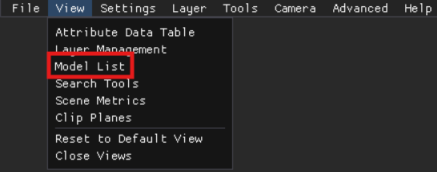
Left click the Model List option in the View menu in the upper left corner.
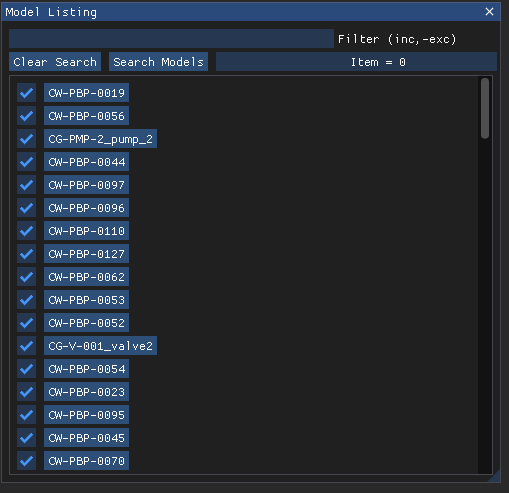
The Model Listing pop-up window contains an itemized list of all model part numbers included in the selected layer.
This list defaults to all listed layers selected (checked) as visible in the loaded Scene
EXAMPLE
The selected layer in the Layer Management window - cryogenic cooling system - contains 152 different models.
The default Model Listing window for this layer contains an itemized list of all 152 layers, each selected as visible.

Snap the Camera to a Selected Model Part
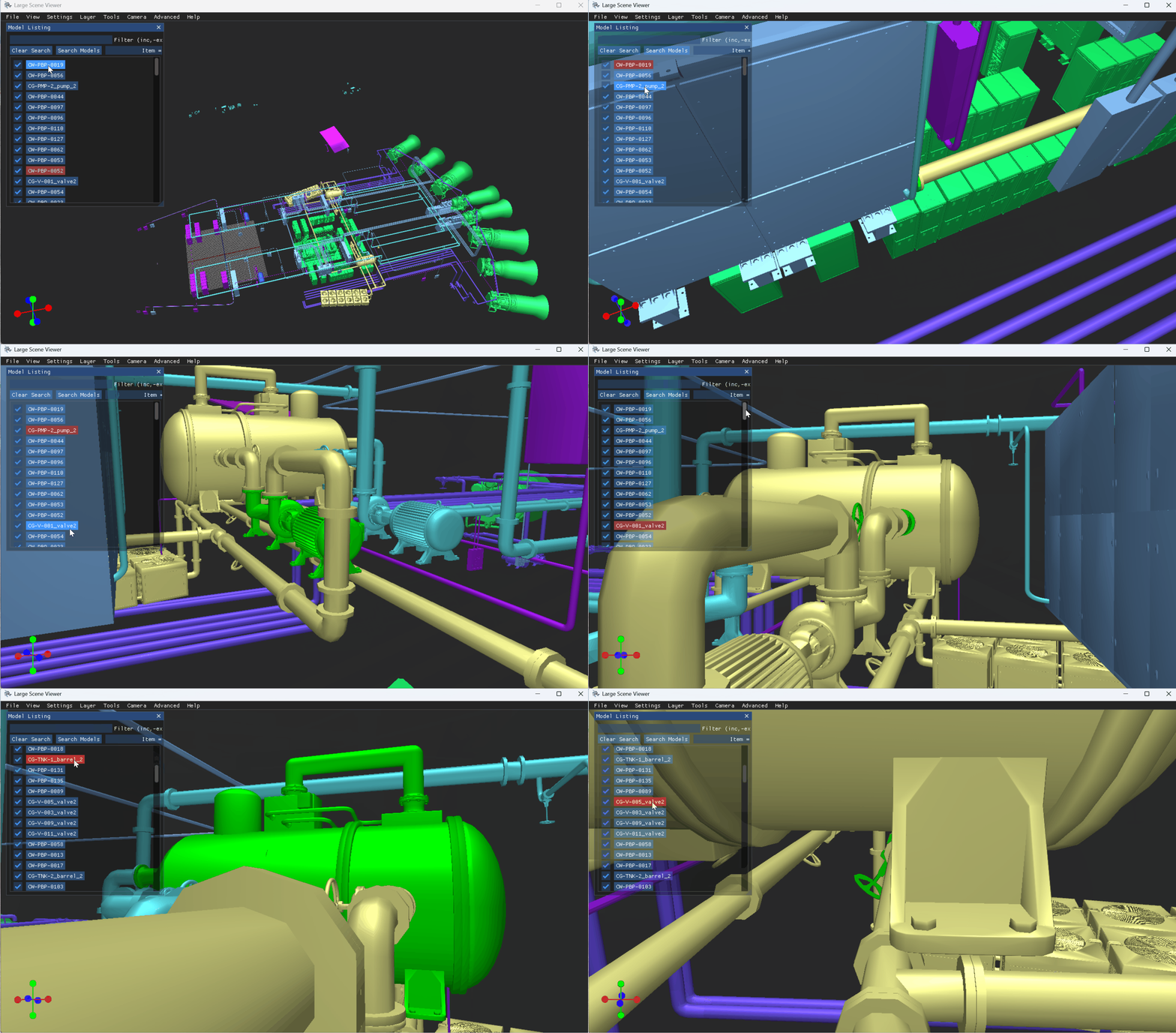
Left click to select a specific model part number in the Model Listing window.
If needed, use the Filter textbox at the top of the window to search for a desired model

The viewer camera Snaps to that model and selects (highlights) it in the loaded scene.
NOTE
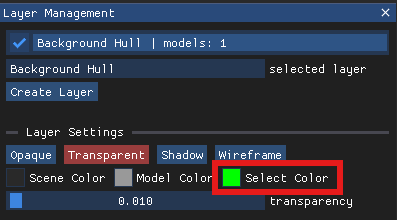
Green is the default highlight color in the LSV.
To change this setting:
1. Left click the Select Color select box at the bottom of the Layer Management window.
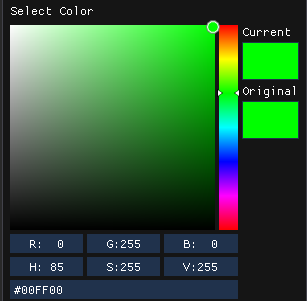
2. Set your desired color in the pop-up Select Color box.
Hide Model(s) in a Loaded Scene
To hide model(s) included in a loaded layer:
Ensure your desired layer name displays in the selected layer textbox in the Layer Management window.

In the Model Listing window, left click to uncheck the select box(es) for the model part number(s) you wish to hide.
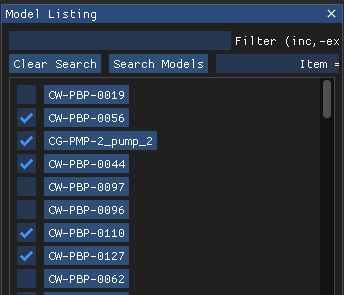
To show a previously hidden model in a loaded scene, left click (check) its empty select box in the Model Listing window.